Create your 2D designs with precision and best-in-class documentation features. Architects, engineers, and construction professionals use AutoCAD LT® to:
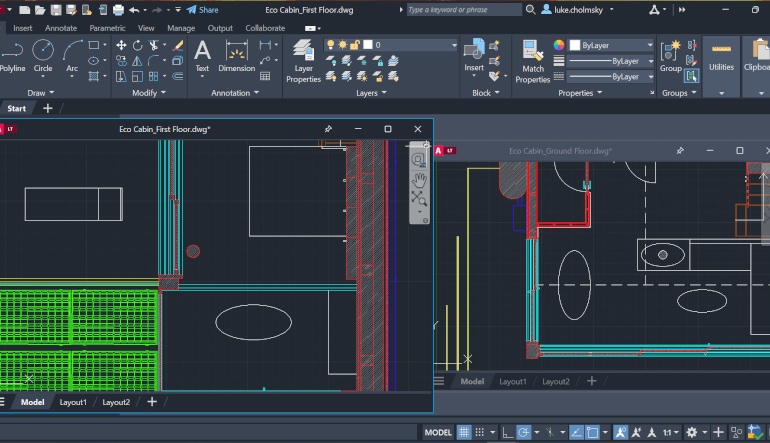
Design, draft, and document with precise 2D geometry
Access a comprehensive set of editing, design, and annotation tools
Streamline your work by customizing your interface and automating your workflows with AutoLISP
Why use Autodesk AutoCAD LT?
Best-in-class 2D design features - Draft, design, and edit with precise 2D geometry and a comprehensive set of documentation features.
Collaborate across teams and devices - Share and annotate drawings with safety and security across desktop, web, and mobile devices.
Ensure fidelity and compatibility - Preserve fidelity and ensure compatibility with Autodesk’s exclusive TrustedDWG® technology.
What you can do with Autodesk AutoCAD LT
Draft with precision and speed with best-in-class 2D features and documentation - Create precise 2D drawings faster with the easy-to-use drafting tools in AutoCAD LT. Improve productivity by automating common tasks and streamline workflows using tools written with AutoLISP.
Work anywhere with AutoCAD on the web (included) - View, edit, annotate, and share CAD drawings with a simple user interface, on any computer. Just sign in and get to work. No software installation is required.
Use AutoCAD LT on the go with AutoCAD on mobile (included) - Take the power of AutoCAD with you wherever you go—even offline. View, edit, comment on, and create CAD drawings in real time.
Key features
AutoLISP - Use AutoLISP in AutoCAD LT to streamline workflows and enforce CAD standards through automation
Activity Insights - Access and track version history data using detailed multi-user event logs and comparison tools
Autodesk Assistant - Access helpful support and solutions related to AutoCAD features and your design challenges
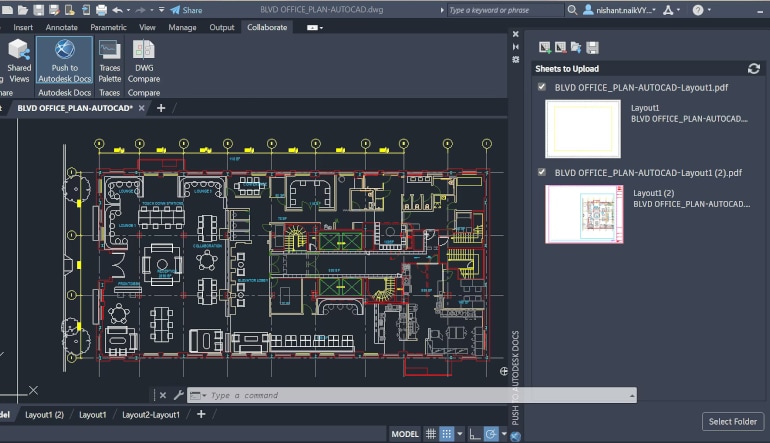
Push to Autodesk Docs - Publish your CAD drawing sheets as PDFs directly from AutoCAD LT to Autodesk Docs
AutoCAD anytime, anywhere - Capture, share, and review ideas on the go with one AutoCAD experience on desktop, web, and mobile
Cloud storage connectivity - Access, preview, and open DWG files in AutoCAD LT with Autodesk Docs and third-party cloud storage
Dynamic blocks - Add flexibility to your block references, including changes in shape, size, or configuration
Blocks palette - View, access, and mark your blocks as favorites from AutoCAD LT on desktop or in AutoCAD on the web
Trace - Safely review and add feedback directly to a DWG file without altering the existing drawing
Count - Automate the counting of block or object instances within your drawing
Enhanced DWG Compare - Compare two versions of a drawing without leaving your current window
Share - Send a controlled copy of your drawing to teammates and colleagues to access wherever they are
Aftersales support +254706244440
Specifications
Key Features
Download and install trial version then activate your license code in program menu.

/product/23/9897623/1.jpg?7860)


/product/23/9897623/1.jpg?7860)