This website uses cookies
This website uses cookies. For further information on how we use cookies you can read our Privacy and Cookie notice

This website uses cookies. For further information on how we use cookies you can read our Privacy and Cookie notice
/product/42/4156623/1.jpg?1309)
/product/42/4156623/2.jpg?1309)
In stock

Easy Return, Quick Refund.Details
Software Kenya
98%Seller Score
29 Followers
Shipping speed: Excellent
Quality Score: Excellent
Customer Rating: Excellent
Autodesk Revit 2026 marks the 25th anniversary of the software, introducing a range of targeted improvements aimed at enhancing Building Information Modeling (BIM) workflows for architects and BIM managers. Rather than a complete overhaul, this release focuses on quality-of-life upgrades, performance enhancements, and workflow optimizations that are designed to boost day-to-day productivity.
Revit 2026 introduces a new plugin for integrating reality-capture mesh data directly into the Revit environment. Architects working on renovations or adaptive reuse projects can now import large point cloud meshes with minimal impact on model performance. Mesh layers can be toggled for efficient navigation, and meshes can be converted into Revit Families, allowing for the addition of connectors and parameters. This integration streamlines the modeling process from scanned conditions and accelerates retrofit workflows.
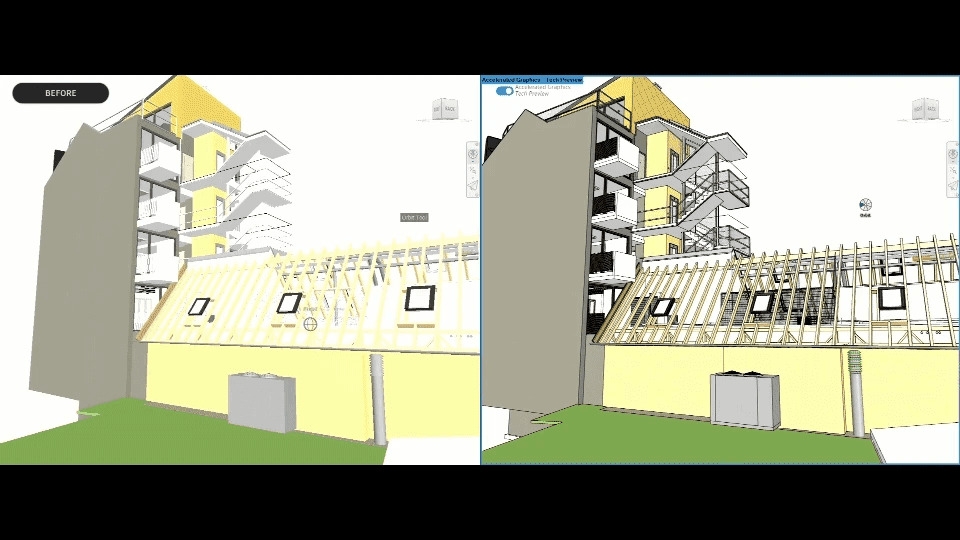
A new graphics engine leverages modern GPU capabilities, delivering significantly faster navigation in complex 3D and 2D scenes. This accelerated mode allows users to pan, zoom, and orbit large models more fluidly, enhancing responsiveness during design reviews and coordination. Although some features are still under development, the groundwork for a modern graphics pipeline is firmly established.
Revit’s Project Browser has been redesigned with tabbed navigation, enabling users to open multiple panels simultaneously. Users can now organize their workflows by discipline or category, reducing excessive scrolling and improving access to project data. This update enhances model management efficiency and simplifies navigation within large projects.
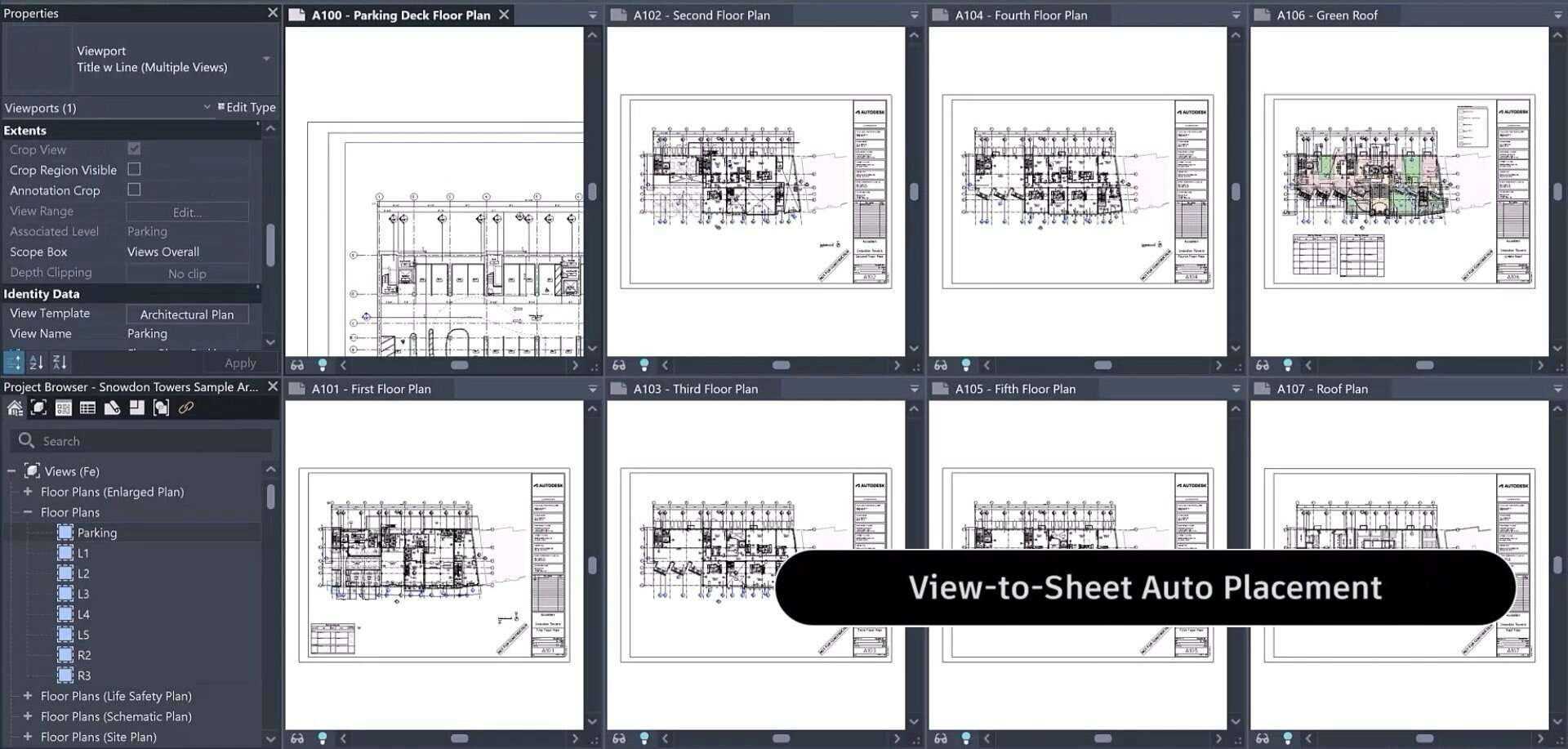
The new automated placement tool allows users to define and reuse view positions across multiple sheets. By setting anchor points for view placement, Revit ensures consistent layouts throughout documentation sets, significantly reducing manual adjustments and improving drawing consistency across large projects.
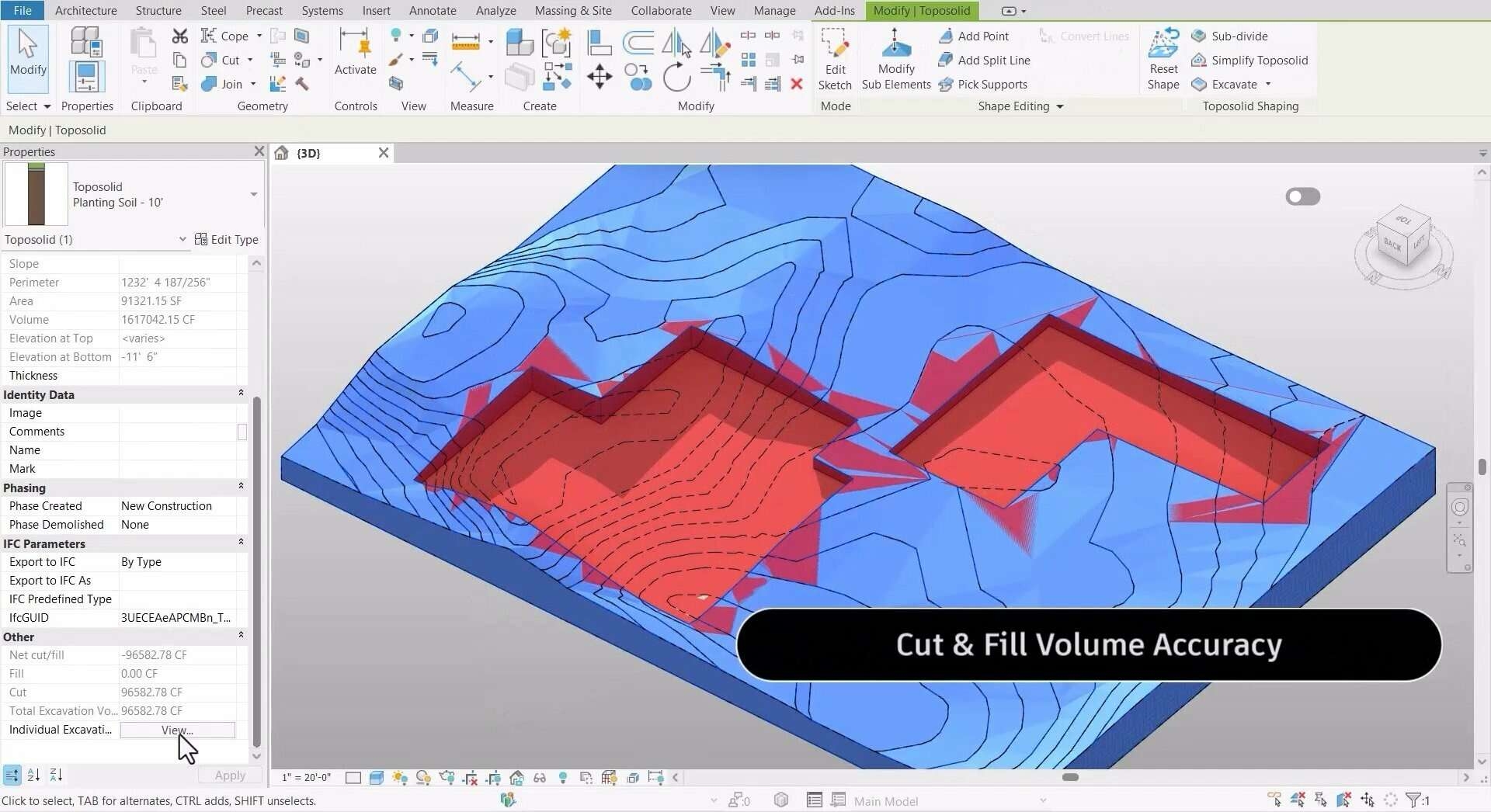
Site design capabilities have been expanded, with Topo solid improvements allowing for complex terrain modeling, including recessed subdivisions for features such as ponds or excavations. Point density limits have been increased, and interoperability with Civil 3D models has been improved. These changes enable more detailed site modeling with greater stability and accuracy.
Revit 2026 enhances coordination model handling by offering granular visibility and color control for linked models. Users can isolate, hide, and color-code elements within coordination models, facilitating clearer reviews and clash detection processes.
Compound elements can now be created without core layers, and layer join priorities are customizable. This flexibility simplifies the modeling of finish-only walls and complex assemblies without requiring workarounds.
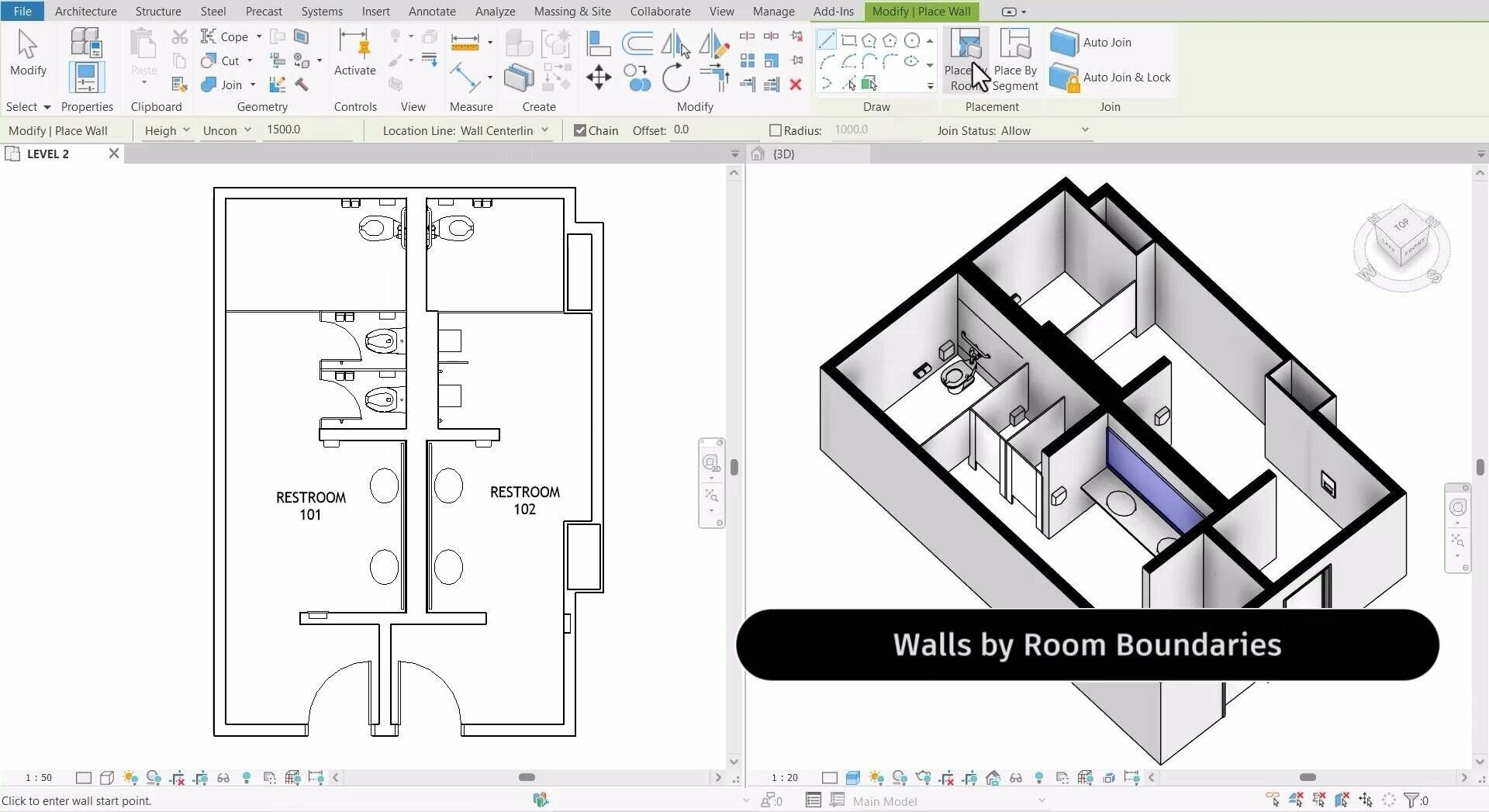
New options allow walls to be generated automatically by selecting rooms or boundary segments, streamlining early schematic design and retrofitting workflows.
PLEASE NOTE: You're purchasing a Serial Number and Product Key to be activated online at https://www.autodesk.com/
AFTERSALES SUPPORT +254 706244440

This product has no ratings yet.
/product/42/4156623/1.jpg?1309)