This website uses cookies
This website uses cookies. For further information on how we use cookies you can read our Privacy and Cookie notice

This website uses cookies. For further information on how we use cookies you can read our Privacy and Cookie notice
/product/57/6983623/1.jpg?8589)
/product/57/6983623/2.jpg?1502)
/product/57/6983623/3.jpg?1502)
/product/57/6983623/4.jpg?1502)
/product/57/6983623/5.jpg?1502)
/product/57/6983623/6.jpg?1502)
/product/57/6983623/7.jpg?1502)
Some variations with low stock

Express delivery in main cities
Easy Return, Quick Refund.Details
Dasy-COD
90%Seller Score
8 Followers
Shipping speed: Excellent
Quality Score: Excellent
Customer Rating: Average
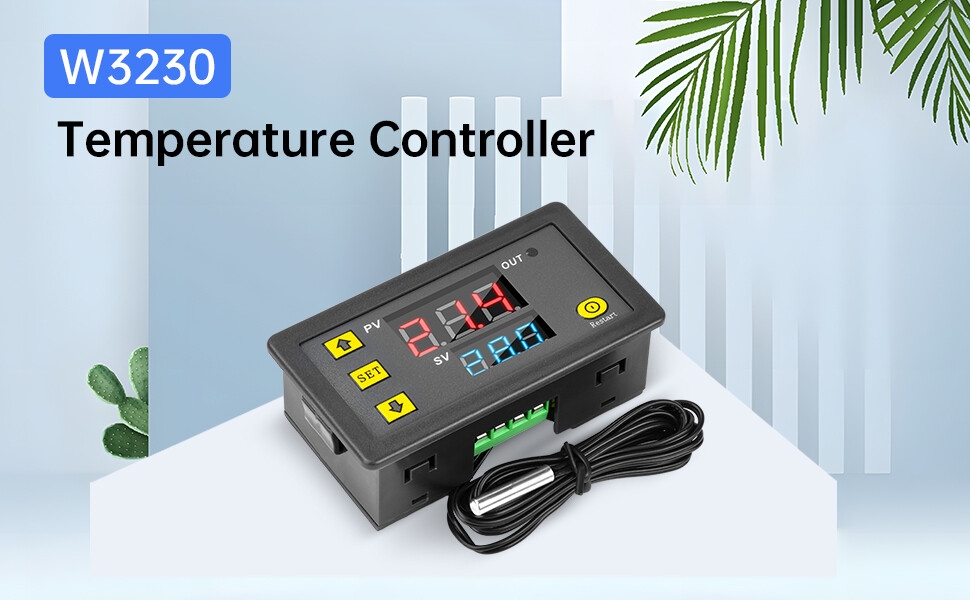
Temperature controller system power input: DC 12V; temperature control range: -55°C to 120°C; temperature measurement accuracy: 0.1°C; refresh rate: approximately 0.5s. Sensor wire: 1 meter
Dimensions: 79*43*26mm; cutout dimensions: 76*39mm.
Multiple Functions: Selectable cooling or heating operating mode, with a °C/°F switch function, adaptable to different scenarios. P0-P9 has 10 parameter/function settings. (Note: Please contact us if you have any questions.)
Cooling/Heating: After setting parameters such as heating/cooling mode, start temperature, and temperature differential according to the manual, the device automatically controls the cooling/heating function when the set conditions are met.
Temperature Calibration: If the temperature controller's measured temperature deviates, the temperature can be calibrated as needed for accurate temperature control.
Alarm function: When the temperature reaches the set temperature, the controller will alarm (-55~120℃). You can also set the maximum/minimum upper limit temperature to avoid accidents. (For more functions, please refer to the detailed description or instruction manual)
(For detailed operation, refer to the instruction manual)
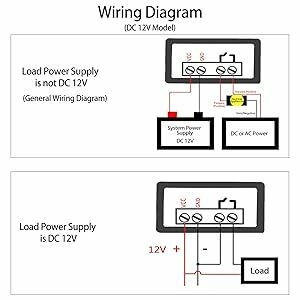 | Application:1. Select a wiring method to connect the power supply and the device to power the controller. The measured temperature will then be displayed on the screen. 2. Press the SET button once; the temperature on the display will flash. Press the ↑↓ buttons to set the desired temperature (press and hold the ↑↓ button to quickly increase or decrease the temperature). After setting, press SET to confirm and return. At this point, the controller will automatically turn the relay on and off according to the setting.
|
Temperature calibration/start delay function
If the measured temperature deviates from the actual temperature or the user has special hardware requirements, this function can be used for correction. The corrected temperature = the temperature before correction + the correction value (the effective range is -7.0 to 7.0). For example, the normal display is 25°C: If the temperature correction is 0, 25°C is displayed; if the temperature correction is 1.5, 26.5°C is displayed. If the temperature correction is -1.5, 23.5°C is displayed.
If the operation of the refrigerator or heater needs to be delayed, the delay function can be activated to protect the lifespan of the device. | 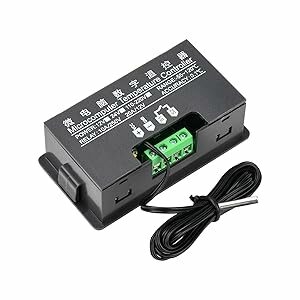 |
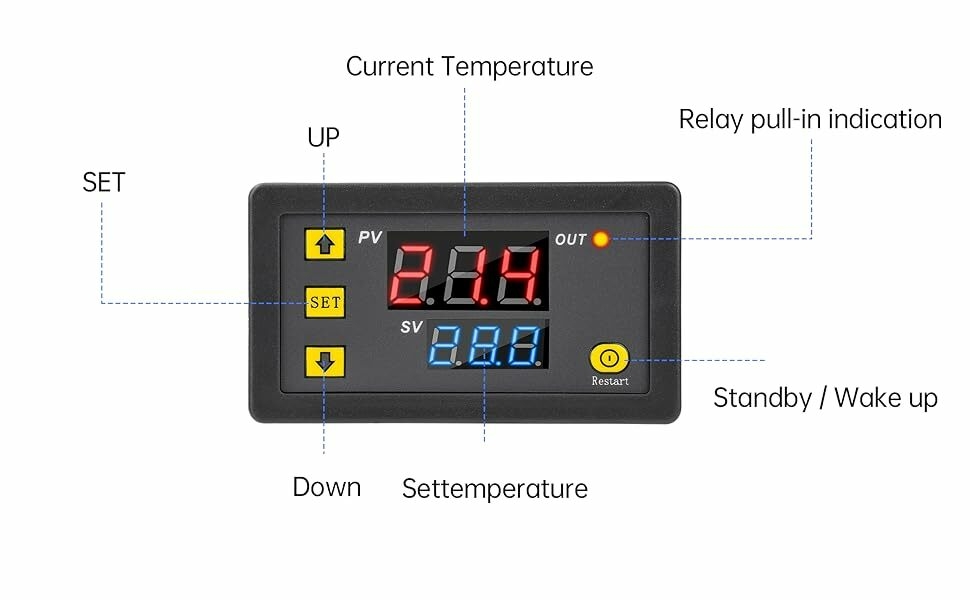
1.Click "set", the small digital tube Bashes, press the up and down keys toset the temperature, press the "standby- key or no operation within3 seconds to save the settings.
2.Long press the "SET" key to enter the code setting mode, press the upand down keys to switch the code, click the "SET" key to adjust thecode parameters after selecting the code, press the "standby" keyor no operation within 3 seconds to save the settings.
3.Automatically save the last setting after power off, and continueworking after power on.
4.Press and hold the "SET" key to power on the product to restore thefactory settings.
5. When the product is powered on, it will automatically start running.ln the running state, iong press the "Standby" button to stand byor wake up.
1 × Digital Temperature Controller

This product has no ratings yet.
/product/57/6983623/1.jpg?8589)