HomeCac reader for mac

Cac reader for mac

(29 products found)

Discover the ultimate CAC reader for Mac, designed to seamlessly integrate with your Apple devices. Our advanced CAC readers ensure secure access to military and government websites, enabling efficient management of your Common Access Card. With user-friendly installation and compatibility with various Mac OS versions, you can enhance your productivity and security. Explore our range of reliable CAC readers today and experience hassle-free authentication like never before. Perfect for professionals in need of secure access solutions.

Frequently Asked Questions about Card Readers for Mac

How do I choose the right card reader for Mac?
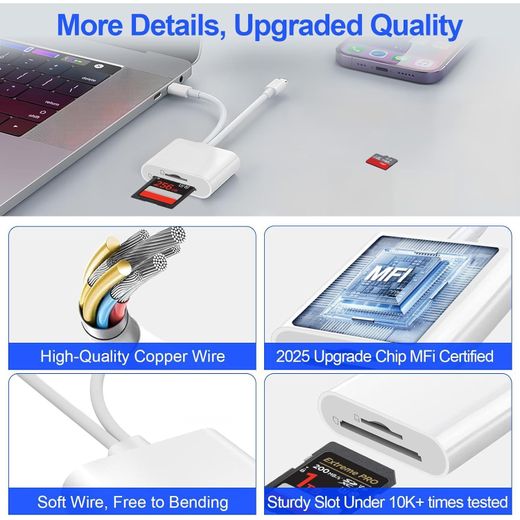
Start by assessing what you need to transfer and your device ports. If you shoot with cameras, a multi-slot SD reader speeds up workflow; for casual use, a simple USB-C reader suffices. In our range you’ll find reputable brands offering 2-in-1 SD Card Readers and USB-C card readers designed for Mac and other devices. Look for compatibility with SDXC/SDHC and microSD, UHS-I support, and a compact design for travel. Choose a model with plug-and-play usability and reliable performance.
What is the most complex attribute of Mac card readers and how does it affect usage?
Card compatibility and speed specifications are the most complex aspects because they determine long-term reliability and safe data transfer. Readers must support various card formats (SD, microSD, RS-MMC, etc.), different speed classes (UHS-I), and sometimes readers provide dual slots or adapters. A faster read/write capability saves time when transferring large raw files. Also consider power delivery if the reader powers devices, and compatibility with MacBook models.
Should photographers or students prioritize different readers?
Photographers who handle large RAW files benefit from high-speed readers with multiple slots to offload cards quickly and keep workflow smooth. Students may prefer a simple USB-C reader that is compact and easy to use for documents and school projects. If you travel, opt for a lightweight, bus-powered model that fits neatly in a laptop bag. Always verify supported card formats and read/write speeds to ensure it matches your typical work or study routine.
How should I care for and use Mac card readers?
Keep the card contacts clean and dry, wiping with a soft microfiber cloth if needed. Plug the reader into a powered USB-C port and avoid forcing connections. When not in use, store the reader in a protective pouch to prevent dust ingress. Most readers are plug-and-play with macOS, but occasionally firmware updates or driver requirements may apply for older models. Regularly check for updates and test data transfers with a small file first to ensure reliability.
Is a multi-slot reader worth it for Mac users?
Multi-slot readers provide flexibility by handling different card formats in one device, saving space and reducing clutter. If you regularly work with multiple card types, this is a practical choice. For casual users, a single-slot USB-C reader may be enough and often cheaper. Consider your workflow, desk space, and the kinds of cards you use most. Check transfer speeds and compatibility with your MacBooks to ensure the device delivers the value you expect.