HomeSsd bracket
Express Delivery
Shipped From
Price (KSh)
-
Discount Percentage
Brand
Ssd bracket
(150 products found)
Discover our premium SSD brackets, designed to securely mount your solid-state drives with ease and efficiency. Crafted from durable materials, these brackets ensure optimal stability and airflow for your SSDs, enhancing performance and longevity. Ideal for both DIY enthusiasts and professional setups, our SSD brackets are compatible with various systems and configurations. Upgrade your storage solution today and experience the difference in speed and reliability with our high-quality SSD mounting options.


Lexar NS 100 2.5" SATA 256GB Laptop SSD - Black 1YR WARRANTY
KSh 9,500
KSh 12,000
-21%


NVME M.2 PCIe SSD to 2.5 inch Hard Drive Caddy Bracket Tray
KSh 3,800
KSh 5,000
-24%
 Black Friday deal
2nd SSD HHD Hard Drive Caddy Tray Bracket For Lenovo Ideapad 320 320C 520
KSh 4,750
KSh 6,000
-21%


Retail Package Aluminum Second HDD Caddy 9.5mm SATA III 3.0 For 2.5" SSD Case Hard Disk Bracket For Notebook CD-ROM OptiBay
KSh 2,375
KSh 3,000
-21%


Ata Retail Package Aluminum Second HDD Caddy 9.5mm SATA III 3.0 For 2.5" SSD Case Hard Disk Bracket For Notebook CD-ROM OptiBay
KSh 2,999


Aluminum Second HDD Caddy 9.5mm SATA III 3.0 For 2.5" SSD Case Hard Disk Bracket For Notebook CD-ROM OptiBay
KSh 1,249
KSh 2,000
-38%


Aluminum Second HDD Caddy 9.5mm SATA III 3.0 For 2.5" SSD Case Hard Disk Bracket For Notebook CD-ROM OptiBay
KSh 1,250
KSh 1,500
-17%


Aluminum Second HDD Caddy 9.5mm SATA III 3.0 For 2.5" SSD Case Hard Disk Bracket For Notebook CD-ROM OptiBay
KSh 1,299
KSh 2,000
-35%


Aluminum Second HDD Caddy 9.5mm SATA III 3.0 For 2.5" SSD Case Hard Disk Bracket For Notebook CD-ROM OptiBay
KSh 1,299
KSh 1,500
-13%


Aluminum Second HDD Caddy 9.5mm SATA III 3.0 For 2.5" SSD Case Hard Disk Bracket For Notebook CD-ROM OptiBay
5 (1)
KSh 1,250
KSh 2,000
-38%


Aluminum Second HDD Caddy 9.5mm SATA III 3.0 For 2.5" SSD Case Hard Disk Bracket For Notebook CD-ROM OptiBay
KSh 1,300
KSh 1,800
-28%


Aluminum Second HDD Caddy 9.5mm SATA III 3.0 For 2.5" SSD Case Hard Disk Bracket For Notebook CD-ROM OptiBay
KSh 3,800
KSh 5,000
-24%
offers from

Aluminum Second HDD Caddy 9.5mm SATA III 3.0 For 2.5" SSD Case Hard Disk Bracket For Notebook CD-ROM OptiBay
KSh 1,500
KSh 2,000
-25%
Low Stock


Aluminum Second HDD Caddy 9.5mm SATA III 3.0 For 2.5" SSD Case Hard Disk Bracket For Notebook CD-ROM OptiBay
4 (1)
KSh 1,220
KSh 1,800
-32%


Universal Sata 2Nd Hdd SSD Hard Drive Caddy 9.5MM
4 (1)
KSh 1,232
KSh 2,500
-51%


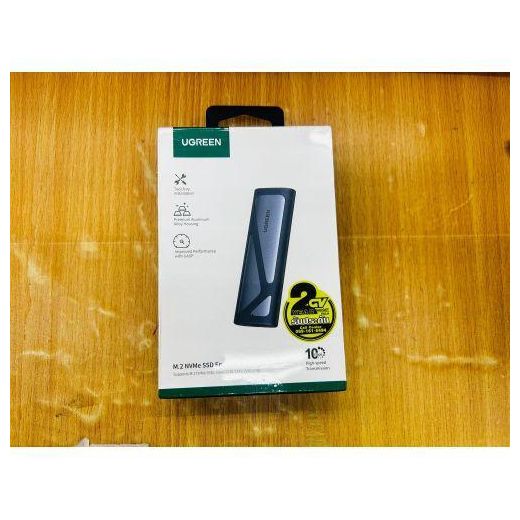

Ugreen SSD Enclosure, Tool-Free USB C External, 10Gbps M.2 NVMe to USB Adapter/Reader Supports M and B&M Keys and Size 2230/2242 /2260/2280 SSDs
KSh 3,500
offers from


9.5mm Universal 2nd HDD/SSD Hard Drive Caddy For CD/DVD-ROM
KSh 4,000
KSh 6,000
-33%


Premium D-Bracket 2X6mm (UPTO 6MM GLASS THICKNESS) – Chrome Plated Heavy-Duty Glass Support Bracket
From KSh 399
From KSh 600
-34%
More Variants Available


Ugreen M.2 NVMe and SATA SSD Enclosure Reader Adapter, 10Gbps USB C 3.2 Gen2, Thunderbolt 3 Compatible, Tool-Free NVMe External Enclosure Supports M and B&M Keys and Size 2230/2242 /2260/2280 SSDs CASE
KSh 3,500

Ssd Casing for m2/nvme both single and double notch
KSh 3,799
KSh 4,500
-16%

Ssd Casing for m2/nvme both single and double notch
KSh 3,545
KSh 5,000
-29%


Out of Stock
M.2 NVMe & M.2 NGFF SSD Enclosure
KSh 4,500


2nd HDD Caddy 12.7mm SATA 3.0 For 2.5'' 2T SSD Case Hard Disk Enclosure For ThinkPad T420 T430 T520 T530 ODD DVD-9.5mm_Orange
KSh 999
KSh 2,000
-50%


Ugreen M.2 NVMe and SATA SSD Enclosure Reader Adapter, 10Gbps USB C 3.2 Gen2, Thunderbolt 3 Compatible, Tool-Free NVMe External Enclosure Supports M and B&M Keys and Size 2230/2242 /2260/2280 SSDs CASE
KSh 8,000
KSh 10,000
-20%

Ssd Casing for m2/nvme both single and double notch
KSh 4,500

Ssd Casing for m2/nvme both single and double notch
KSh 3,800


Ugreen M.2 NVMe and SATA SSD Enclosure Reader Adapter, 10Gbps USB C 3.2 Gen2, Thunderbolt 3 Compatible, Tool-Free NVMe External Enclosure Supports M and B&M Keys and Size 2230/2242 /2260/2280 SSDs CASE
KSh 3,500


M.2 USB 3.0 SSD case (COMBO) TYPE C
KSh 3,299
KSh 4,000
-18%


Universal HDD Caddy Slim 9.5mm SATA
4.6 (9)
KSh 595
KSh 800
-26%


9.5mm Universal 2nd HDD/SSD Hard Drive Caddy For CD/DVD-ROM
KSh 1,232
KSh 2,400
-49%


9.5mm Universal SATA 2nd HDD SSD Hard Drive Caddy For CD/DVD
KSh 5,225
KSh 7,000
-25%
offers from


2nd HDD Caddy 12.7mm SATA 3.0 For 2.5'' 2T SSD Case Hard Disk Enclosure For ThinkPad T420 T430 T520 T530 ODD DVD-9.5mm
KSh 4,275
KSh 6,000
-29%


Ugreen M.2 NVMe and SATA SSD Enclosure Reader Adapter, 10Gbps USB C 3.2 Gen2, Thunderbolt 3 Compatible, Tool-Free NVMe External Enclosure Supports M and B&M Keys and Size 2230/2242 /2260/2280 SSDs CASE
KSh 3,499


Ugreen M.2 NVMe and SATA SSD Enclosure Reader Adapter, 10Gbps USB C 3.2 Gen2, Thunderbolt 3 Compatible, Tool-Free NVMe External Enclosure Supports M and B&M Keys and Size 2230/2242 /2260/2280 SSDs CASE
KSh 3,500


Ugreen M.2 NVMe and SATA SSD Enclosure Reader Adapter, 10Gbps USB C 3.2 Gen2, Thunderbolt 3 Compatible, Tool-Free NVMe External Enclosure Supports M and B&M Keys and Size 2230/2242 /2260/2280 SSDs CASE
KSh 3,499
offers from


2nd HDD Caddy 12.7mm SATA 3.0 For 2.5'' 2T SSD Case Hard Disk Enclosure For ThinkPad T420 T430 T520 T530 ODD DVD-9.5mm_Orange
KSh 1,039
KSh 1,250
-17%


2nd HDD Caddy 12.7mm SATA 3.0 For 2.5'' 2T SSD Case Hard Disk Enclosure For ThinkPad T420 T430 T520 T530 ODD DVD-9.5mm_Orange
KSh 1,050
KSh 1,200
-13%


Ugreen M.2 NVMe and SATA SSD Enclosure Reader Adapter, 10Gbps USB C 3.2 Gen2, Thunderbolt 3 Compatible, Tool-Free NVMe External Enclosure Supports M and B&M Keys and Size 2230/2242 /2260/2280 SSDs CASE
KSh 3,499


Ugreen M.2 NVMe and SATA SSD Enclosure Reader Adapter, 10Gbps USB C 3.2 Gen2, Thunderbolt 3 Compatible, Tool-Free NVMe External Enclosure Supports M and B&M Keys and Size 2230/2242 /2260/2280 SSDs CASE
KSh 3,499
offers from


2nd HDD Caddy 12.7mm SATA 3.0 For 2.5'' 2T SSD Case Hard Disk Enclosure For ThinkPad T420 T430 T520 T530 ODD DVD-9.5mm_Orange
KSh 1,300
Frequently Asked Questions about SSD Brackets and HDD Caddies
Are there certain brands or series I should look for when shopping HDD caddies for notebooks?
Yes, prioritize brackets from trusted brands or OptiBay‑style universal options designed for laptop bays. These often come with clear measurements, standard mounting patterns, and good screw kits. A well‑reviewed option reduces the risk of misalignment and fit issues. If you choose a generic model, verify exact dimensions and compatibility notes from the seller to ensure it matches your laptop’s bay and drive height.
What role does drive height play in choosing a bracket?
Drive height determines whether a bracket will fit flush inside your chassis. Common heights are 7mm and 9.5mm; incorrect height can cause contact with the laptop cover or fans. Always measure your existing drive or consult the notebook’s service guide, then pick a tray that accommodates that height plus a secure screw pattern for stable mounting.
Can these brackets support M.2 drives or only SATA drives?
Most laptop caddies support 2.5-inch SATA drives, while some universal trays may offer adapters for M.2 or NVMe setups. If you plan to use an M.2 drive inside a 2.5-inch bay, ensure the bracket explicitly states M.2 support or look for an adapter kit. Confirm both the physical fit and the interface compatibility before purchasing.
What installation accessories should I expect with a good caddy?
A solid caddy typically includes the tray, reliable screws, a mounting frame if needed, and occasionally a spacer or shim for proper fit. Some models also come with anti‑vibration pads or rubber grommets to reduce drive movement. Check the listing to ensure you receive a complete kit, so you avoid hunting for missing hardware later.
Is it safe to install a second drive in a laptop with a caddy?
Yes, installing a second drive is generally safe when you use a proper caddy designed for your laptop and you observe static precautions. Ensure the system recognizes the drive and that there’s no BIOS setting conflict. If uncertain, consult your laptop’s manual or a professional to confirm thermal and power considerations for dual-drive operation.